
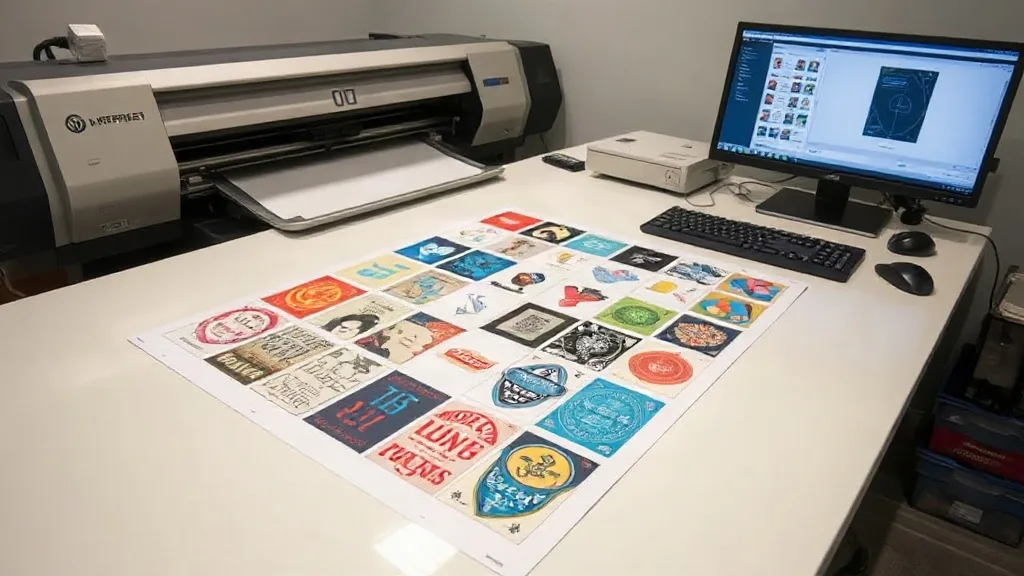
If you're in the custom apparel business, you know that efficiency and cost control are key to staying competitive. One tool that has revolutionized the way printers handle heat transfers is the DTF Gangsheet. This innovative approach allows you to arrange multiple designs on a single sheet, maximizing your printer's output and minimizing waste. In this guide, we'll dive deep into what DTF gangsheets are, how they work, and how you can leverage them to streamline your workflow and increase your profits.
What is a DTF Gangsheet?
A DTF gangsheet is a large sheet of DTF film that contains multiple printed designs arranged together. Instead of printing each design individually, you gang them up on one sheet, hence the name. This method is particularly useful for small to medium-sized orders where printing each design separately would be inefficient. By grouping designs, you make the most of your printer's bed size and reduce the amount of wasted film and ink.
Why Use a DTF Gangsheet?
The benefits of using a DTF gangsheet are numerous. First and foremost, it saves time. Instead of loading and unloading the printer for each design, you print everything at once. This is especially beneficial for repetitive jobs or when you have many small designs. Secondly, it reduces material waste. By filling the sheet with designs, you minimize the unused areas of the film, which can be a significant cost saving over time. Additionally, gangsheets allow for better organization and easier handling of multiple designs, as they are all on one sheet.
How to Create an Efficient DTF Gangsheet
Creating an efficient gangsheet requires some planning and the right tools. Here are the steps to follow:
1. Choose the Right Software
Use a graphic design program or a dedicated gangsheet builder that allows you to import multiple designs and arrange them on a canvas that matches your printer's maximum print area. Adobe Illustrator, Photoshop, or specialized RIP software can do this. Some online tools also offer gangsheet templates.
2. Optimize Your Layout
Arrange your designs to minimize empty space. Rotate designs if necessary to fit them tightly together. Consider the size of each design and group similar sizes together. Leave a small gap between designs (about 2-3mm) to make cutting easier and prevent color bleeding.
3. Consider the Order of Printing
If your designs use different color profiles, group them by color to reduce ink changes and improve efficiency. Also, place designs that require more ink towards the center of the sheet to ensure even printing.
4. Test and Adjust
Before printing a full gangsheet, do a test print on a small scale to check for alignment and color accuracy. Adjust your layout as needed.
Best Practices for DTF Gangsheet Printing
To get the most out of your gangsheets, follow these best practices:
- Use high-quality film and powder: Cheap materials can lead to poor adhesion and durability. Invest in reputable DTF supplies.
- Maintain your printer: Regular cleaning and maintenance ensure consistent print quality and prevent clogs.
- Store gangsheets properly: Keep printed gangsheets in a cool, dry place away from direct sunlight to prevent the powder from absorbing moisture.
- Cut with precision: Use a vinyl cutter or scissors to cut out designs carefully, leaving a small border to avoid damaging the transfer.
- Press with correct settings: Follow the recommended temperature, pressure, and time for your DTF transfers to ensure proper adhesion.
Common Mistakes to Avoid
Even experienced printers can make mistakes with gangsheets. Here are some pitfalls to watch out for:
- Overcrowding the sheet: Leaving too little space between designs can cause them to merge or make cutting difficult.
- Ignoring color consistency: If your gangsheet includes designs with different color profiles, the colors may not print accurately. Group similar colors together.
- Using the wrong film: Not all DTF films are created equal. Ensure you use film compatible with your printer and powder.
- Skipping the test print: Always do a test print to catch issues before wasting a full sheet.
Applications of DTF Gangsheets
DTF gangsheets are versatile and can be used for a variety of applications, including:
- Custom t-shirts: Print multiple sizes and designs on one sheet for a batch of shirts.
- Team uniforms: Create matching designs for sports teams or events.
- Promotional items: Print logos and slogans for giveaways or merchandising.
- Small business orders: Efficiently handle small runs without compromising on quality.
Frequently Asked Questions
What is the maximum size for a DTF gangsheet?
The maximum size depends on your printer's capabilities. Most DTF printers can handle sheets up to 13x19 inches or larger. Check your printer's specifications for the exact maximum print area.
Can I reuse a DTF gangsheet?
No, DTF gangsheets are designed for single use. Once the designs are transferred, the film cannot be reused. However, you can print multiple copies of the same gangsheet if needed.
How do I store DTF gangsheets before use?
Store them flat in a cool, dry place, away from direct sunlight and moisture. Avoid stacking heavy objects on top to prevent damage to the powder.
What types of fabrics can I use with DTF transfers?
DTF transfers work on a wide range of fabrics, including cotton, polyester, blends, and even some nylons. They are not recommended for fabrics with a high silicone content or those that cannot withstand heat.
How do I ensure the colors on my gangsheet are accurate?
Use a color-managed workflow and calibrate your printer regularly. Group designs with similar color profiles together on the gangsheet to maintain consistency.