
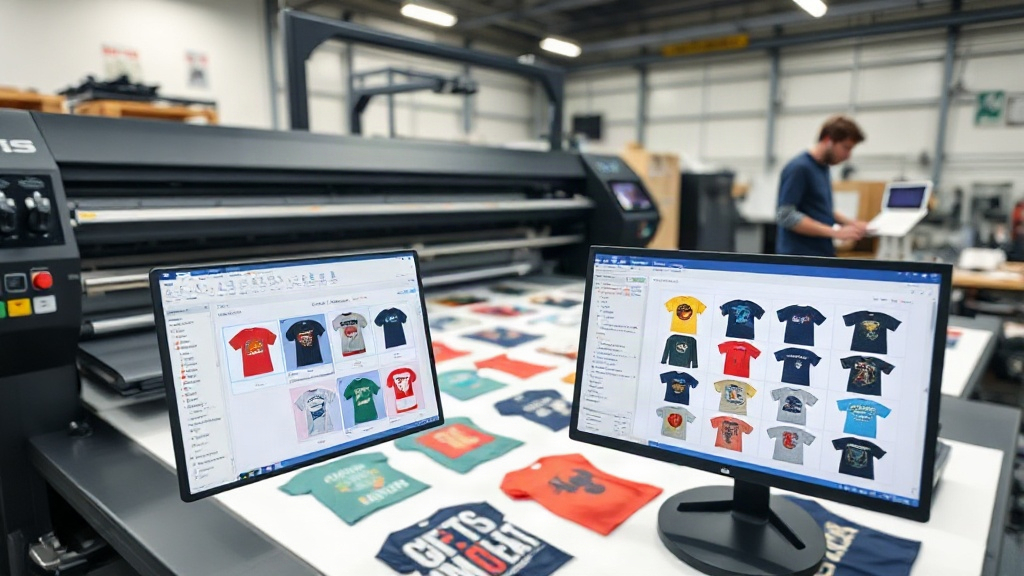
If you're in the custom apparel business, you know that efficiency is everything. Every minute saved and every inch of transfer film used wisely adds up to better profits and happier customers. That's where a dtf gangsheet builder comes into play. This powerful tool lets you arrange multiple designs on a single sheet, maximizing your production and minimizing waste. But are you using it to its full potential? Let's dive into how a dtf gangsheet builder can revolutionize your workflow and why it's a game-changer for your shop.
What Is a DTF Gangsheet Builder?
A dtf gangsheet builder is software or an online tool that helps you arrange multiple DTF (Direct to Film) transfer designs onto a single large sheet, often called a gangsheet. Instead of printing each design individually, you nest them together to fill the sheet as efficiently as possible. This approach saves transfer film, ink, and time, while also reducing the number of cuts and presses you need to make.
Think of it as a digital puzzle where you're fitting as many designs as possible onto a canvas. The builder automates the layout, ensuring optimal spacing and orientation. Some advanced builders even calculate the best arrangement based on design dimensions and sheet size, taking the guesswork out of the process.
Why You Need a DTF Gangsheet Builder in Your Shop
Whether you're a small home-based business or a large production facility, a dtf gangsheet builder offers tangible benefits that directly impact your bottom line. Here are the key advantages:
- Cost Savings: By maximizing the use of each sheet, you reduce the amount of transfer film and ink consumed. Over time, these savings add up significantly.
- Time Efficiency: Manually arranging designs is tedious and error-prone. A builder automates the process, freeing you to focus on other tasks.
- Consistency: Automated layouts ensure consistent spacing and alignment, leading to professional-looking transfers every time.
- Scalability: As your order volume grows, a builder helps you handle larger batches without increasing manual labor.
If you're still manually cutting and pasting designs onto sheets, you're likely wasting valuable resources. A dtf gangsheet builder eliminates that inefficiency.
How to Choose the Right DTF Gangsheet Builder
Not all gangsheet builders are created equal. When selecting a tool for your shop, consider these factors:
Compatibility
Does the builder support your printer's file formats? Most accept PNG, PDF, and other common formats. Ensure it integrates with your existing workflow, whether you're using a dedicated DTF printer or a converted inkjet.
Ease of Use
Look for an intuitive interface that doesn't require a degree in graphic design. Drag-and-drop functionality, automatic nesting, and real-time previews are must-haves. The less time you spend learning the software, the more time you spend printing.
Features That Matter
Advanced features can set a builder apart. For example, some tools allow you to add crop marks, adjust spacing between designs, and even mirror images automatically. Others offer cloud storage so you can access your gangsheets from anywhere. Prioritize features that align with your production needs.
Pricing
Some builders are free, while others require a subscription or one-time fee. Evaluate the cost against the time and materials you'll save. Often, the investment pays for itself within weeks.
Step-by-Step: Using a DTF Gangsheet Builder Effectively
Once you've chosen a builder, follow these steps to get the most out of it:
- Prepare Your Designs: Ensure all designs are high-resolution (300 DPI recommended) and have transparent backgrounds. This prevents jagged edges and ensures vibrant prints.
- Set Your Sheet Size: Input the dimensions of your transfer film. Common sizes are 13x19 inches or 22x24 inches, but you can customize based on your printer.
- Import Designs: Upload your designs into the builder. Most tools allow batch import for efficiency.
- Arrange and Nest: Use the auto-arrange feature or manually position designs. Aim to fill gaps without overcrowding. Leave a small margin between designs for easy cutting.
- Review and Adjust: Check for overlaps or excessive empty space. Rotate designs if needed to fit more.
- Export and Print: Once satisfied, export the gangsheet as a high-quality file and send it to your DTF printer.
Following these steps ensures you're not wasting film and your prints come out perfectly.
Pro Tips for Maximizing Your Gangsheet Efficiency
Even with a builder, there's an art to gangsheet layout. Here are some expert tips:
- Group Similar Sizes: If you have multiple designs of the same size, place them together to create a uniform block. This reduces cutting time.
- Use Negative Space: Don't be afraid to rotate designs 90 degrees to fill awkward gaps. A builder's auto-nest feature often does this, but manual tweaks can help.
- Consider Order Frequency: If certain designs are ordered frequently, create a gangsheet template with those designs pre-arranged. You can reuse it, saving setup time.
- Test Different Layouts: Before committing to a full sheet, print a small test to ensure colors and alignment are correct.
- Keep a Library: Save your gangsheet files for future reference. If a customer reorders, you can quickly reproduce the sheet.
These small adjustments can lead to significant gains in productivity.
Common Mistakes to Avoid with DTF Gangsheet Builders
Even seasoned printers make mistakes. Watch out for these pitfalls:
- Overcrowding: Packing designs too tightly can cause ink bleeding or difficulty cutting. Always leave a little breathing room.
- Ignoring DPI: Using low-resolution images results in poor print quality. Always use 300 DPI or higher.
- Forgetting to Mirror: DTF transfers need to be mirrored before printing. Most builders have a mirror option; don't forget to enable it.
- Not Updating Software: Builders often release updates with new features and bug fixes. Keep your tool current.
Avoiding these mistakes will save you time and frustration.
Integrating a DTF Gangsheet Builder into Your Workflow
To truly reap the benefits, integrate the builder into your daily operations. Here's how:
- Standardize Your Process: Create a checklist for every gangsheet, from design prep to printing.
- Train Your Team: Ensure everyone knows how to use the builder efficiently. A short training session can prevent costly errors.
- Monitor Results: Track metrics like film usage, print time, and customer satisfaction. Use this data to refine your approach.
- Stay Updated: Follow DTF forums and groups to learn new tips and tricks. The industry is always evolving.
When your team is on board, the builder becomes a seamless part of your production line.
Frequently Asked Questions About DTF Gangsheet Builders
What is the best DTF gangsheet builder for small businesses?
The best builder depends on your specific needs. For small businesses, free or low-cost options like DTF Gangsheet Builder by DTF Touch offer essential features without a steep learning curve. Look for tools with auto-nesting, easy export, and compatibility with your printer.
Can I use a DTF gangsheet builder with any DTF printer?
Most builders are software-based and generate standard file formats like PNG or PDF, which are compatible with virtually all DTF printers. However, always check that the builder supports your printer's maximum sheet size and resolution requirements.
How much can I save by using a DTF gangsheet builder?
Savings vary based on your volume and previous methods. On average, businesses report reducing film waste by up to 30% and cutting layout time by 50%. The exact savings depend on how efficiently you use the tool and your production scale.
Is it difficult to learn how to use a DTF gangsheet builder?
Not at all. Most modern builders are designed with user-friendly interfaces. If you're comfortable with basic design software, you'll pick it up quickly. Many providers offer tutorials and support to get you started.
Do I need special software to create gangsheets, or can I use Photoshop?
While you can manually create gangsheets in programs like Photoshop, dedicated dtf gangsheet builder tools are far more efficient. They automate nesting, reduce errors, and save time. For serious production, a dedicated builder is recommended.
Final Thoughts
Incorporating a dtf gangsheet builder into your DTF printing workflow is one of the smartest investments you can make. It streamlines production, reduces waste, and ultimately boosts your profitability. Whether you're just starting out or scaling up, the right builder can make a world of difference. Take the time to choose a tool that fits your needs, learn its ins and outs, and watch your efficiency soar. Your customers will notice the faster turnaround and consistent quality, and your bottom line will thank you.